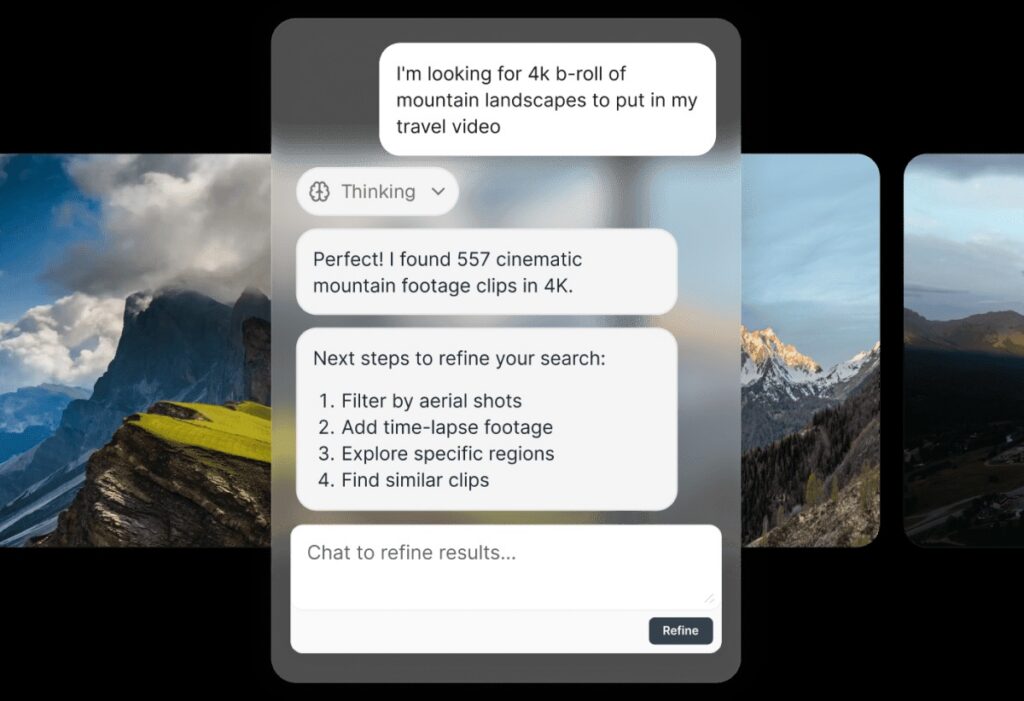
With over half of creators now using AI to help them generate ideas and draft scripts, keeping as much of the pre-production process inside your AI assistant of choice not only streamlines your workflow, but saves you valuable time. Here at Storyblocks, we’re all about helping creators create more efficiently by providing all the essentials you need under one subscription.
And now, it includes one more essential – our new Storyblocks MCP Server, which lets you directly search and download from our library inside ChatGPT or Claude.
What is the Storyblocks MCP?
The Storyblocks Model Context Protocol (MCP) Server is a connector that plugs the entire Storyblocks library of footage, music, templates, images, and sound effects into ChatGPT or Claude. With it, you can easily search or download any of our 10 million pre-licensed, human-made stock assets for your projects from inside your own AI tools.
With our MCP, you can trust that the assets you’re seeing are covered under your Storyblocks license and authentic, and avoid legal risk.
How it works
The MCP can be added as a connector into any member’s Claude or ChatGPT account. You can find detailed instructions for setting up the MCP with each LLM in our help center articles here (Claude instructions, ChatGPT instructions).
Once the MCP is set up, you can easily access it from right inside your LLM. You can use it to search for any kind of stock asset that’s available in our library and download files directly, all without ever having to leave the chat interface. Instead of spending valuable time switching between websites and software, you can do it all in one place.
It also works with AI agents, so you can direct them to search and download assets, along with connecting it into your personalized video creation workflow alongside multiple tools.
For example, if you have a video scripted and ready to start planning, you can direct your agent to pull potential b-roll clips, sound effects, and templates based on the content of your script for you.
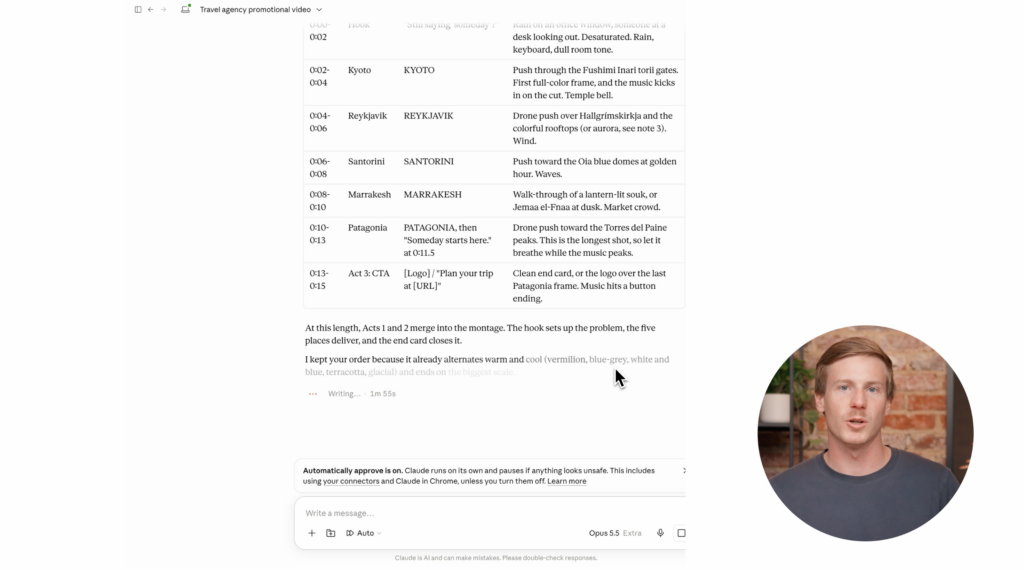
There’s lots of ways you can leverage the Storyblocks MCP in your workflows – check out some of the use cases in our dedicated article.
Getting started with the MCP
To set up the Storyblocks MCP with your Claude or ChatGPT account, you’ll need to have a Storyblocks account. Only active Storyblocks subscribers can download stock assets via the MCP.
If you have a free Storyblocks account, you can still set up the MCP and use it to search our library, but you’ll need to sign up for a paid subscription plan to download assets. A Storyblocks subscription gives you all the essentials you need to create, all under one plan – unlimited downloads of over 10 million human-made stock assets, covered under one comprehensive license, plus time-saving tools for every stage of production.