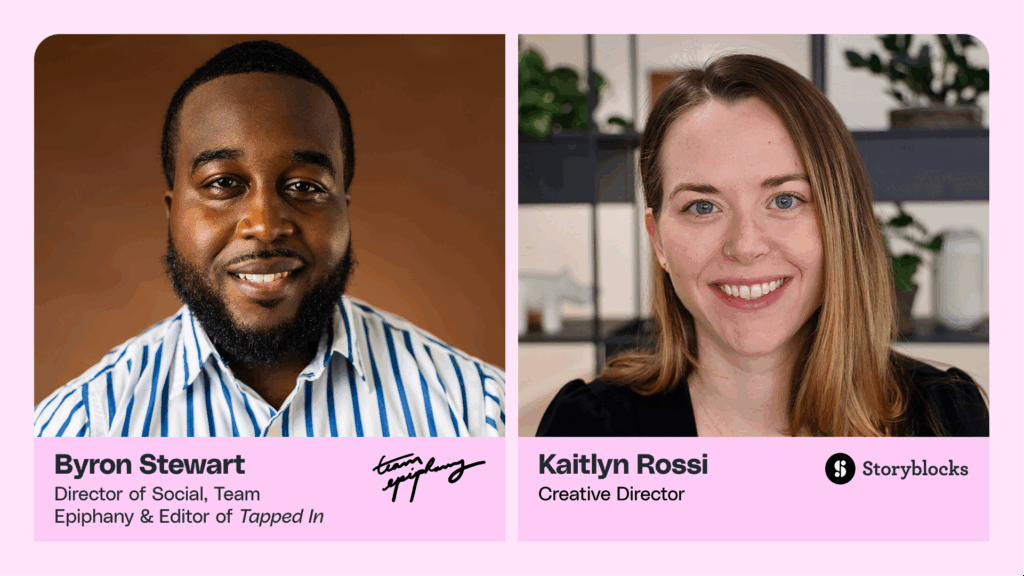
Hey, everyone. Thanks so much for being here with us today. I'm Kaitlyn Rossi. I'm the creative director here at Storyblocks. Storyblocks is a stock media subscription service who, aims to help creators and businesses create better video content faster than ever. We do this by offering an unlimited library of footage, audio templates, and much more. I'm joined today by Kirby Ferguson. Kirby is a filmmaker, writer, educator, and speaker who's best known for creating the video series, Everything is a Remix. The original four part series has been streamed millions of times on Vimeo, and the extended series now lives on his YouTube channel. Kirby has also produced commercial work with some of the top brands like New York Times, Bloomberg, Discovery, CNN, and has presented at TED, South by Southwest, NYU, many more places. He produces online courses for creators based off of, what he calls his remix method. Kirby, thank you so much for joining us here today. We're really excited to have you. My pleasure, Kaitlyn. Thank you so much for having me. Nice. So before we get into it, just want a quick PSA for the audience. Just a reminder to submit any questions that you have at any time during the q and a tab. We're going to answer the majority of questions at the end of the presentation, but please keep them coming throughout, and we may, you know, pop in and answer a couple as we go along. Also wanna share a reminder that a recording of today's webinar is going to be shared out afterwards so you can rewatch it or pass it on to friends and colleagues. Alright. So without further ado, let's get into it. So over the last couple of years, it really feels like we've reached kind of the peak hype, for AI tools and really, like, the promise of what they can unlock for those of us who are doing creative work. As the market has gotten more and more crowded, it's really hard to sort out what's actually helpful in your workflow and what are what we call, like, the shiny object toys. So as each of us decides what to invest our time and money in, we wanted to take a, you know, a moment to kind of honestly review some of the platforms and tools that are available right now and dig into how they can best apply to video creation today. So as we go through, we're gonna talk about a lot of the options that are available, what's great about them, and what's not so great. Kirby is also going to reveal his dark horse AI pick. It's a tool that's less known, but it's something that you can use to get real video production work done today. So I wanna start right off the bat, with what a lot of people are curious about, and that is, like, the video generation side. Before we get into it, I wanna play this, short clip that is from Sora, AI's, new video generator. Alright. So Sora was obviously one of the first video generators that really made a big splash in the news and in the market. And, you know, watching something like that, it all looks amazing. But, Kirby, I would love to hear your thoughts about Sora and, you know, where you think it stands today. I mean, video generation has come a long way, in the last year. I was playing with it a year ago. It was super, super primitive, really, really wonky and weird and strange, and it's really, really come a long way. Like, you can see that's a very produced video that we just watched there. But you can see, obviously, it can do it can give you really good results. And I've been playing with it, a lot over the last month. It's been public for, a month now, Sora. And it's super impressive. It's super, super impressive. It's super, super fun. It's easy to use. It has a nice interface. It has some nice features. It has a feature called storyboard, which addresses the problem of letting you kind of pick actions that will happen throughout time. Otherwise, it's hard to just give a prompt upfront and have it, you know, do what you want. So you can say, man walks up the river, and then, you know, two seconds later, you can say, man kneels down to the river and dips his fingers in the water or whatever. You know? So you can sort of set up a timeline, of actions within the video that you're trying to produce. So it's got really nice features like that. Like, it's got a blend feature where you can take two videos and blend them together really seamlessly and get really cool effects. And topic that's close to my heart, it has a remix feature, which lets you take the output that you just made and just say, and now put it in outer space or whatever. So you can take the video that you just created, and you can transform it and make it into something else, which I think is is a really cool and unique feature as well. So it's amazing. It's fun. It's inspiring. It just kinda broadens your mind as to, you know, what is possible with video production. It puts it gives you a lot of power that we we didn't have before. But even when, it looks good, there are problems, and we can get into those. I sent you some clips of the issues. Yeah. So tell us what we're looking at right now. This is a clip that on first blush, it's playing very slowly right now. But in real time, it looks pretty pretty good. It's pretty impressive. Like, it's a lot of figures to animate, and it's a lot of physics to manage. On first blush, it might look pretty good. But if you switch to the, still image up next, you can see that there's a lot of strange stuff going on. Like, all of the figures individually look very weird. The posters in the background, I can forgive this. Like, there's weird text and doesn't make sense. I can forgive that. This is still like a we're in the early days of this stuff. I don't expect that kind of stuff to work. But, like, the lady's hands in the front are all stretched out and weird. The two ladies right beside her are very weird. You don't see it in this particular image, but they're actually it's kinda creepy. There are people in the mirrors that are not actually there in the room. So a lot of weird stuff going on. And, like, when you watch this stuff quickly, it can look really good. But if it plays longer, or if people are just focused and paying more attention, like, a lot of the clips just will not, stand up to to visual scrutiny. And this one is relatively good. I also sent along some ones that are that are not so good. Yeah. So the this is much more typical. Like, once you start using Sura, you're gonna get a lot of stuff like these clips. Like, I'll start with this banana clip. I knew this would be hard for it to make because it's just it's a lot of, parts that kind of look the same. All the parts all of the peels of banana all sort of look the same. I knew it would have trouble, like, sort of keeping them, separate. So you can see if you look closely. I mean, you don't have to look closely even. There's just a lot of strange stuff going on there, things moving all over the place. The hand is blending, with the peeling at times. Just a lot of strange stuff going on, especially in the hands. But at at the end of banana. But kit looks pretty good. And then the chihuahuas, you can see here, like, one of them just has a is a separate floating head for a little bit, and they're kind of blending into each other, continually throughout. And then the bottom right one of the beach walk, that one is, like, slightly creepy. If you if you look at it closely, the child appears from nowhere, and then his head is on backwards, initially. And then as he walks forward, his his limbs flip. His head flips and his limbs flip to match. So very, very bizarre effect. These are really typical, and it's a real, it's it's it's a real issue. It makes it makes sort of feel very maybe not even beta like, but alpha like. Like, you get a lot of this. You get a lot of these, you know, really just broken sort of outputs coming out of it. And, you know, it'll cost you time, and, it'll just sort of make you feel like you're going nowhere with what you're doing. So there's a lot of, a lot of, lot of wonky stuff that is getting spit out. I actually, compared it to the process. It's kind of like throwing spaghetti at the wall, because you're just kind of giving it these prompts and you're hoping for the best, and it can you just you can't tell what you're gonna get. You know? Like, describing video is really hard. It's it's really it's not a straightforward process. Feels like throwing spaghetti at the wall. You you don't know what's gonna stick. And I tried to make Sora throw spaghetti at the wall, and this is what I got. It it wouldn't even do it. It wouldn't even actually splat the spaghetti onto the wall like I wanted. It just sort of brushes it across like a mop or something. So, again, like, this this is very typical. This sort of weird output is very typical from from what we get from Sora. So super cool. It's really exciting. I do recommend that people dive in and try it because it's an exciting realm that is advanced that is advancing really quickly. But what I'm showing you here is very, very ordinary. These I didn't cherry pick these. These are very, very ordinary sorts of results people will often get. Yeah. So, you know, Sora is not the only video generator on the market. Even, you know, there are some other ones out there that are pretty big and well known. So can you talk a little bit about some of the other competitors in the space? Yeah. I mean, I would say that Sora is actually not the market leader right now. Sora, it premiered, they started publicizing it about a year ago. I forget exactly when it was, but it was a while ago. And it looked very, very impressive at the time, but, like, a lot of people are sort of a lot of companies are sort of catching up. And I would say they are a a a bit behind right now. I really like their, interface features, like that remix feature and the blend feature, the storyboarding. Those are those are really cool. So I really like the usability of it and the features. But in terms of outputs, you can see, like, these are these are from a platform called Cling, which which is a Chinese company. And it's really, really great at these, like, fantastical sorts of images. It's really they're incredibly detailed. Everything kinda look kinda looks like still images that are being animated. But still, you know, you can you can work with that. That's pretty cool. So, you know, if if this sort of stuff fits in the kinds of work that you're trying to do, it potentially could be could be useful for you. I personally can't find a lot of roles for for this kind of stuff, but cleaning is super, super impressive. But you also can see I believe we have the I tried the spaghetti at the wall, and I think we have that, up here next. This is even weirder. I tried the spaghetti at the wall again in Cling, and I got this very, very bizarre, interpretation of of what I was going for. So, again, like, they all kind of have the same issues. You're going to get these just very strange sort of nonsensical outputs. So Cling, I would say, is the market leader right now. Runway is an excellent platform that has been around, for it's kind of an OG of video generators. Runway is super cool, has great features like, lip sync and video to video. So we could take, like, the the footage of us and turn it into, like, anime or whatever, and it it can do it can that's can be super impressive. But the big one to, keep an eye on is Google VO two, and we have a clip here to show of a short film called The Heist, which a company called Secret Level, produced. The physics looks really good. This is Google VO two that you're seeing here. It's not public yet. It's not out yet, but it, will be in the near future. And you can just see it's it's it's getting there. It's made real progress for sure. So Google v o two, is looking very impressive, and I'm I'm curious where that one, will land in the hierarchy. But it's looking like it could be a market leader, but we will see. Mhmm. Yeah. So I wanna jump really quickly to a quick question from the audience. So I think it's great while we're looking at this. You know, what is the level of detail that you're using to generate, you know, these videos that the ones that both look great and the ones that are sort of failing? You know, is this the the type of skill that, like, anyone can pick up right now? Or, like, how what's involved in your process when you're writing a prompt for a video generator? Well, to be clear, a bunch of these images are not mine. Like, a bunch of those Cling images are are are not mine. They're just from the site. And it varies. You can do, you can write prompts. I find that detail really helps in image, in video and image prompts. Like, really put in a lot of detail. I find that helps give you, really good results. If you give sort of simple sentence sentences, simple prompts, it'll it'll give you, like, a very generic, result. So you definitely wanna put a lot of put a lot of detail into it and look at what other people are doing. Like, with a platform like Midjourney, you can just go to their, public their, I forget what they call it, inspiration or something. Like, they're public, where where a bunch of different images are are are are being posted, that are extraordinary. You can look at the prompts and see, what people are doing there and all the different settings and stuff like that. So detailed prompts is one way to get it and to look at the style of prompting that's being done on whatever platform you, you are using. But image to video also can be, I I think maybe is a better workflow for doing video generation because then you can get an image that you like and, like, okay. I'm gonna animate this. Like, I gotta start. And then you're not starting from scratch with trying to subscribe video. And then you have to wait typically you know, often you have to wait five minutes or whatever for these videos to output on these platforms. So I find that starting with a nice image that you got from an image platform, bringing that into the video generator, that can be, an even better way to generate video. Yeah. Definitely. Yeah. Someone in the audience called out. It's definitely becoming a skill itself is promising. Yes. Absolutely. Like, it's that's I mean, I think, I think something that a lot of people think is that it's easy. Right? They think it's they're afraid that just creativity is going to become easy. And I think just the skill set is is morphing and changing and evolving, and getting interesting stuff out of these things takes takes some real work for sure and some real skill. Definitely. So before we next move on to the next set of tools, I wanna just take a quick step back and, you know, kind of talk broadly about, you know, how you're seeing AI fit into the creative workflow. You know, you've done a lot of, you know, exploring, like, the art of creativity and, like, how people make the decisions that they do and what makes that uniquely creative to them. So we'd love to hear just a little bit about, you know, your kind of perspective here, and how this is currently fitting into the creative workflow. Yeah. I mean, I think what we're seeing now is sort of a a mania that's going on. Right? It's like AI is super viral right now, and people are really, really into it. And they're really trying to push the limits of what it can do, and they're really sort of monofocused on it. But I think in the pretty near future, it's just going to be one tool among many. Like, my big idea that went viral for me was the concept of everything is a remix. Like, taking, copying and transforming copying, transforming, and combining media and ideas together to make new ideas, building new ideas out of old ideas. That was the the the video series that, that was very popular for me. I think that sort of approach of taking different sorts of media, so not just sticking to AI, but using the real and the unreal using, different forms of media like footage and stock and graphics and motion graphics and type and animation and AI, you know, with within that. Bringing those all together, I think, is going to be what gives people interesting results. I think people are so focused on AI and, like, this was made entirely with AI. Like, the sound effects were AI and the voice was AI. Like, and the images are AI. Like, it's just all AI. And I think that's not going to be what we get, in the near future. And I think that's actually a really limiting way to work is just to stick with AI. And you can see this in other technologies as well, like in computer generated imagery, like in the last Avatar film, that people aren't they're not just animating characters. Right? Like, that's all motion cap motion capture. They had actors perform these scenes, and then the CGI is happening on top of actual actors acting. And I think that human element is gonna be there. It's gonna be really strong, and we're going to be building on top of that with AI. Mhmm. Yeah. So I wanna now move into, you know, what you sort of see as the most useful, forms of generative AI right now in the video production, video creation space? The gold standard for AI unquestionably is JATGBT and large language models for sure. The advantage that text generator generators have is that they are text is completely fluid. You can do whatever you want with it. Right? Like, if you get an image or a video, out of one of these platforms and it's got six fingers or it's got three eyes or whatever, the sorts of wacky stuff that, still happens on these platforms, then you're stuck. You know? You can't fix that. Whereas with text, if you get something that has, like, some bad senses in it or it's just really boring or whatever, you can take that basic content and you can embellish it and you can make it into something better. So text, is just super, super flexible. We use it all over the place. We use it. It becomes actual, text script in videos. We use it behind the scenes. We use it in preproduction and planning and all sorts of stuff that never actually gets into the video. So text is super, super useful. And by the way, the platforms now are you can use whichever one you want. Like I mentioned ChatGPT. I like ChatGPT a lot. I actually am using Claude more more nowadays. I think Claude, for me, fits my uses the best, but they're all kind of at parity right now. Gemini, Perplexity, Meta AI, which is an open source project from Meta. They're all kind of around the same level, and you can use whatever you want. So there's lots of different options out there. So you can cut you can have a you can try a bunch of them and use whichever fits you best, but they're all kind of getting some getting to similar sorts of levels. Yeah. And you've mentioned, like, beyond just kind of the brainstorming, scripting that process, you know, using this, like, in preproduction, you could, like, have chat g b t or Claude generate, like, a production schedule for you. So it's like that takes the grunt work out of, you know, that task and simplifies it so you can then refine from from that point. Absolutely. Yeah. I think, like, that's a real strength of it is this is the grunt work stuff, and we'll we'll return to this later. But the kind of unglamorous stuff, like, I don't like AI, generally speaking, so much for your, like, marquee things. Like, marquee meaning, like, the the big thing that you really wanna connect with people, that you really wanna get people's attention with. I I think it's just too generic and unengaging, generally, to it it it's lacking that human spark. You know? So I like it more. I like text generators and AI a lot for, preproduction type stuff. Building schedules, I really like it for that, especially if you're not great at building schedules. Like, anything that you're not great at, or or good at, it can make you it can make you decent. You know? That's the big advantage of these of of large language models. They can make you decent. So for scheduling, it could come up with a very competent schedule very easily. It's really good for brainstorming, for just sort of exploring different possibilities and, refining an idea. Can help with scripting. It can help with, both generating an outline of your script and improving that script. It can help with research. It's I I really like it for research, and I feel like hallucinations when it just makes stuff up sort of out of the blue. That is absolutely still a concern. And if anything, if you wanna say something specific in a video, you definitely wanna look into it, make sure it's right. But I feel like those have improved a lot, with the newer platforms, so that is less of a problem nowadays. Proofing and editing scripts, I think it's really good for, and just sort of working out unknowns. Like, I really like it for that. I've really been, impressed by what my wife is doing with, ChatGPT. Actually, she has these long conversations with it where she just she doesn't know how to do something, and she just works through it step by step. And this is the sort of thing that happens, all the time with video production. You know, like, I need to go wherever and I need and I I've never done this sort of shoot before, and I have to figure out how to get there and, you know, what all the production needs are. It can really help you figure out those problems. Yeah. Definitely. And we kind of alluded to this before, but I wanna ask you next sort of about, you know, your prompt writing style. So what are sort of the basics of, like, how you write an effective prompt for the LLMs? Yeah. I mean, I think it's really simple. The formula that I have, habit upon is this, this three step formula. You give it context, you give it a task, and then you chat to revise and evolve the results. So context, meaning just some background on what it is that you are, trying to do. Then you finish that off with a specific task. Write me, three three paragraphs, in a journalistic style about whatever, the thing is that you just described. And then after you get that result so rather rather than writing these really long complicated prompts, you just start with just few sentences like that, then you chat with it to revise and improve those results. So you're probably not gonna get I think a lot of people get stuck with that first result. Like, they see that first result, and they're like, oh, that stinks. Like, well, what am I gonna do with that? And you just go back and forth with it after that, and you refine it and and get it better. And don't expect to get complete text out of it either. Like, if you're looking for scripting, for instance, don't expect it to just write it for you. Expect it to give you something expect it to give you maybe a first draft, kind of a a rough first draft that you can build on and, improve. Probably rewrite probably rewrite entirely, but that's really helpful. If you can give you a first draft that you have to rewrite, that's super helpful. So that's the basic formula that I use. Yeah. And if you wanna go even a little bit deeper, you know, can you explain a bit how you would, you know, break out and write context? Sure. Yeah. The context section is the part where you can add detail if you want to advance your prompting a bit. So I really, really like, examples because oftentimes, I find I will know. I I I won't have the answer I need, but I'll have something else that is very similar to it. So you give it an example of the sort of thing that you're looking for. Like, I'm looking for a quote about inspiration. Albert Einstein said this. Give me three additional quotes about inspiration or whatever or something like that. Right? So examples I find really help to, like, point it in a particular direction. You can tell it about your audience. My audience are millennials who work in marketing or whatever. Tell it give it all the information you can. The format, like, is it a blog post? Is it a newsletter? Is it a tweet? Whatever. Character, you can actually tell it to be a character. Like, you are a video producer, working for a large network, whatever, and tone. You can tell it, you know, make it light, make it, informative, make it, confident, that sort of stuff. So those are I would say that those are sort of in the, order of importance for me. I really like examples in particular. I find if you can give it an example of the type of thing that it can help with, that is very, effective. Definitely. So I wanna move on to the next one just to keep us, you know, rolling through, and that is image generation. So I wanna hear a little bit about, you know, your perspective on where these tools are today. Image generation is a much more mature technology than video generation. Video generation generation is, of of course, built on top of image generation. We've got a bunch of image generators now. If you go to the next slide here, there's Midjourney. I like Midjourney, a great deal. There's DALL E, which is built into ChatGPT. So that's how you so you just tell ChatG ChatGPT to make an image for you. There's a newer platform called Leonardo dot ai, as well as Magnific and also Runway. You know, again, our our OG the OG runway, they do image generation as well. So there's plenty of different, platforms to choose from. But, again, like, sort of finding a home for it, in your work, I find, can be really tricky. It has a look that, like, you can't escape, and I think that look is being used for a lot of low end work. Like, I don't know about you, but I'm mostly seeing it in, like, clickbait and, like, just really low end, churn. What do, what do we call now? Slop. People call this stuff slop nowadays. Right? Just this this stuff that's just getting created really, really quick and really, really carelessly. So that's that's the look that you're gonna kind of inherit, unless you really work that material. So I'm not entirely sure what to do with it. It certainly is impressive. It can give you really cool looking images, but I think a bit more of as I think a bit more of as a support tool, something that that you can use. Like, these are mood board images, for something that I was thinking of. Like, I I just had to create these images, and I wouldn't literally use these images in the project, but, like, maybe the color and some of the basic composition elements or something like that. It can sort of, like, help you define the space that you're going to create something in. I like it more for the sort of behind the scenes imagery. But you can see these are from Midjourney. Like, they're they're very impressive images. The problem is there's a lot of other images out there that will look like that as well, so you'll run into that problem. And a lot of people will just be able to to tell, especially people people are gonna get more and more sophisticated about image generation, and they're gonna be able to tell that you're using it. And that can be a bad look. Yeah. I love the comment in the chat. Just it's supporting creativity rather than replacing creative vision. And I think about that a lot. You know, when it comes to storyboarding, it's, like, really hard to get your thoughts out onto paper, especially if, like, you're not a visual artist or anything. So when you're envisioning something for, like, a video that you're creating, you know, being able to use this to help you actually bring it to life and communicate that vision, I feel like it's, like, the real use case for something like this. Yeah. Absolutely. And, like, lots of people like, everybody has their strength in video production. Like, some people are more writers, some people are more editors, some people people are more directors. They like to be interact like, like, to be on set actually doing things. So if, like, the visuals is not, like, a really strong suit of yours, like, I think image generators again, like, it when in an area that you're weak in, AI can elevate you to being decent. And I think that's really, really super powerful. Yeah. Alright. I wanna move on to, you know, a topic that we talked a lot about, and it's, you know, the AI for grunt work. And, you know, this term is, like, funny to use, but it really is, like, the stuff behind the scenes, that are helping your workflow. So would love to hear a little bit about, you know, what you mean by this. Yeah. AI, I think, generally is best thought of as being for grunt work. It fares better when you give it a smaller task to do. Like, when you give it this like, when you wanted to make this five second or ten second, video for you, that's a that's that's like a very big, big project that you just gave it. Right? I find it is way way better at the smaller tasks. Like, the tedious chores, I think AI works really well for these. And I think this sort of stuff is just gonna kinda get integrated into your workflow, and you're not even really gonna think of it as as AI. It's just, you know, some cool new it's just something that suddenly got easier in your video editor or whatever. Like, Adobe has, is doing a lot of these sorts of features. Generative AI generative fill, I really like a lot. I use it a lot. I find it super, super, super helpful. Even though, like, it has the quirks that image generation has, it can give you the it can, you know, generate nonsense, but it's still so much more helpful than, like, doing all that cloning, yourself. Generative fill in Photoshop is is super, super helpful. Lots of other, stuff is getting integrated into the Adobe suite, like enhancing speech and text based editing and removing filler from rough cuts, ums and ahs and stuff, color matching between different clips, remixing, of music to time beats and to extend tracks. That one is is super useful. I use that. And, Premiere soon will be able to extend video clips. Right? So a clip. You need a little bit more footage on the end of that clip. You can just grab the end of it and pull it out, and it'd be able it will be able to generate an extra second or two of extra footage for you, which could really, really be helpful, in those awkward moments where you just you ran out of footage or the the shot moved or something. It was you you know, but you need a little bit more of what you're actually seeing on screen. So I think these sorts of, like, little smaller jobs, are more of how we're going to be using AI in on a day to day basis. Yeah. Definitely. And I think this leads to, you know, kind of your dark horse pick. We alluded to this earlier. You know, tell me what you think is, like, that kind of sneaky AI tool, which is Yeah. Helpful in video production today. I think Eleven Labs is the, sleeper, in this group. Like, it's not super obscure. I know plenty of you who are into AI have been been using Eleven Labs, but a lot of people don't know about it. So Eleven Labs lets you synthesize voices, out of text. Right? So you can create very convincing narration. I think it sounds pretty pretty real. And, again, this fits within that, like, grunt work theme. Like, I think some people will hear what I just said. Like, oh, it creates narration. Like, that's gross. Like, who wants to listen to an AI talk? And I don't think of it, like, that you're going to just, make the narration in a really important video project that that you're working on, that you're gonna make that with AI. Like, I I I don't think anybody's gonna be doing that anytime soon. What it's helpful for is, like, you know, you've gotta make thirty videos, instructional videos. You don't have a lot of budget, and nobody's gonna be looking at these videos thinking, like, am I, like, really engaged and, connecting with this video? They just want the information. It's a simple project. For that sort of work, instructional videos, sort of lower end work, that potentially can be very time consuming. I think voice synthesis could be really helpful for that. And it also this is another one that might sound some of these sound a little bit creepy, but, voice cloning, I think, is going to be really useful. Like, the YouTuber, Sara Dietschy, did this on her video channel recently. Here's a clip of Oh, no. I'm scared. The Sony FX thirty is a high quality APS c mirrorless camera that is perfect for both remote podcasting and also filming podcasts and videos in person. There's no way. So she says in the video, like, that took it took some tweaking. It took some experimenting to to get to that sort of result. But that's super, super impressive. And, again, like, I I don't think that we're all just gonna be sitting around generating, synthesized voices all day long. I think what that is useful for is, like, you missed a line. There's something that you realized in post, like, oh, I should have said this, and you can add that in. Often sometimes you'll say the wrong word, and you can potentially add that in. Like, I think just that sort of maintenance and editing sort of stuff is what it's really gonna be useful for. And, also, it gets even more impressive in that video cloning is coming along as well, and she experimented with this as well. Here's another clip of Sara Dietschy. So much noise out there. And so that's why I've curated all of this into a simple step by step guide. These days, how you show up online is the new handshake. It's the first impression you give to your podcast audience, your clients, your employees, your student. So, again, that's the sort of thing like, it you're just gonna put it into these little little moments where, like, somebody said the wrong thing or you need to add a line or whatever, stuff like that. I don't think people would will be making videos with synths with cloned footage anytime soon because it won't hold up. Like, it will have the same issues. Like, your hand will melt into your face or whatever, like, all sorts of that weird sort of stuff that happens in video generators. But for just those moments where, like, you'd have to where something you've got a real problem. You can't solve it in post. You have to go shoot or even go, pick up go record voice over again. That can be a a real pain, and it can be hard to match that stuff. I think it it it's something that will be really helpful for those sorts of, again, grunt work kind of tasks. Yeah. I know, like, so many of us have been in that exact same position where it's like you need to redo a line and, like, have had to record your voice over again. Or, like, like, someone mentioned in the chat, it's like you get someone in for an interview, you're not gonna bring them back to say, like, a hook exactly the way that you would wanna hear it. You know? So I, like yeah. I I I I can imagine this being, like, a game changer for little instances like that that really help out. Yeah. Yeah. I I'm I'm looking forward to going deeper with it myself. I think it it's something that could work in my workflow. So that's my so ElevenLabs, is my, dark horse pick. I I think it's an underrated tool that, like, you actually can use right now. Whereas with a lot of these, aside from chat chat, GPU, with a lot of these I don't know. I personally have not quite figured out what what do I do with video generation. What do I even do with image generation, which I think is is even more impressive. Again, it's more mature. It looks really great. I still haven't totally figured out what to do with it aside from the sort of behind the scenes sort of work. So, ElevenLabs and voice synthesis is something where I'm like, okay. Like, I get where that can fit into my workflow, and I think that's something that people should should check out. Definitely. Alright. So one more question before we move on to our q and a. I just kinda wanna zoom back again and, you know, I think I know the answer to this, but, you know, we've talked about how is, like, AI going to take over some of these more creative aspects of production. You know, what do you think? What's your verdict here? I think no. I I think people will get I I have always thought, like, even, like, a year or two ago, when people were really panicking about what AI was going to mean to the creative industry. And make no mistake, I think it will be disruptive. And I think that, like, there are areas that will suffer, in the short term. But I am bullish on humanity. I think creativity is something that is mysterious and unknown, and I don't think algorithms are going to, solve it anytime soon. I think the way that we do creative work, the way that we do video production is going to change, and it's going to be about us working with these strange new tools that we're still sort of figuring out how to, incorporate them because they're not like the tools that we had in the past where they just you ask it to crop this image and put a gauge and blur on it, whatever or whatever, and it just it does it for you. It's very like, you tell it what to do, and it does it. This is more like, help me make whatever, and it does it for you. So it's somewhere between, like, a AI, somewhere between, like, a tool and a collaborator. It's sort of a a mixture of those two things. But that human element is always going to be essential, at least for work where you're where you're really trying to connect with a human being on the other end, which is a lot of the work that we do because AI just lacks that human element often. It has this averaging effect. It can feel generic. It can feel unengaging. Even when it's really beautiful, when it looks really great, it just lacks that like, it doesn't have that spark that, excellent human work has. So creative work is very mysterious, and I don't think that algorithms are going to be solving this problem in the near future. I think the mixture of tools that we are going to be using is going to be changing in the near future. And that is why I think people should dive into these tools, which right now, I I would say are toys often. Like, I would say, Sora is a toy. Image generation is maybe maybe getting to the threshold of not being a toy. But I think get in there and start experimenting, learning because this stuff, I think, could be useful in the near future, but it's not quite there yet for a lot of it. Yeah. And you never know what you might unlock, in your own workflow and what works personally well for you until, you know, you get in there and you start playing around with them. Totally. I'm just talking about my own personal experience. So what whatever other people are trying to do, it could could work really well for you. Cool. Alright. Well, yeah, I think let's get into q and a because we have a lot of good questions submitted here. Before jumping in, I just wanna preview our next webinar, which is going to be on February twenty six, and it's gonna be hosted by, Premier Go, who is Kelsey Brannen. This is gonna be a little bit of a different one. We're gonna do a live editing demo. She's gonna go through some things that she uses to help enhance, the look and feel and add personality to her videos. So definitely check that out if you're interested. And check out Kirby's work at everything is remix dot info. You can find his courses, articles he's written, videos he's produced there. So, you know, please go check it out and find out more about, you know, his remix method. And then finally, you know, check out storyblocks dot com slash resources for more of our on demand webinars and any written resources on video marketing content creation and more. So with that, let's get right into our q and a. I'm gonna, order these a little bit because we have a lot of kinda technical and platform specific questions. But I guess I'll start out with, you know, there are all kinds of subscription models, that are available for these tools. So how do you best determine, like, which ones you wanna take the plunge with? That's a tricky question. That's a really tough one because they're all really different. Some of them, you're you're always paying for use. You're often paying for credits, with these systems, so you're paying for a certain amount of, of outputs of of images or videos or whatever. I think you start with the the you start with the free program, free free, level. If it's got that, definitely start there. And it's gotta pass that threshold of, like, oh, this is useful for me. Like, I I did that with Cling. Like, Cling, there is a free level. I tried it out and was like, okay. I like this. You know? I I I would like to be able to do more with this and do it more quickly because Often, they'll put you on, like, the slow the slow plan on the free level. So start with that free level. See if you want more. Start with then move to the basic level, and just take it nice and slow. But some of these platforms, they can be pretty silly with the pricing. Like like, Sora is two hundred bucks a month to get all the features. So, like, I don't know what you would be doing to justify that sort of expense. That seems crazy to me. But just start with a free plan, level up from there, take it nice and slow. Nice. So Kirby, what's been your biggest cost saver when it comes to AI, tools and video production? Biggest ChatGPT. I I return to it all the time. It's the only one for me that, like, really, like, I made a video course about, ChatGPT, and I use ChatGPT to make to make the AI course. And I said in that, it probably saved me two weeks. That that's what it probably saved me on a about, like, roughly a a three month project. It probably saved me about two weeks. So chat g p t is something that really can be a time saver, especially when you start to incorporate, again, these things that you don't that aren't, like, video specific. Like, scheduling is not video specific. Research is not necessarily video specific. Like, these tasks that just are part of the work, but they're not really specific to your realm once you sort sort of start expanding your mindset of what it can do, I think it can really help you a lot. So chat GPD or claw. I happen to be using clawed a lot nowadays. And, again, you can use lots of different ones, but large language models are absolutely the thing that if you're not using it. And there's there's very generous free plans for all of these. So definitely get in there and be patient. Like, stick with it. I think a lot of people get frustrated very quickly. They don't get the result that they want, and they're just like, oh, this stinks. Like, forget it. Be patient. Stick with it for a while. Because it takes your mind it's a different way of working. Like, it takes your mind a while to adapt to these platforms. Large language models are unquestionably the most impactful. Yeah. And one question here, you know, so you mentioned using, large language models for script work. Can you have it do a breakdown like you would get from a program like final draft? So I'm imagining this is like taking your, dialogue script and breaking it down into scenes in that format. I I haven't tried that, so I don't really know. But I would imagine it would do some sort of draft that might be useful to it, but I can't address that one specifically because I haven't tried it. But I tend to think it would give you something that at least you can start with and potentially would save you some steps. And, again, because it's text, it's very easy to move things around and, oh, that didn't work like delete it. Unlike when you get a video and you're just, like, you're just stuck with what the video is. Right? You can't really do that much with it aside from trim it. So I tend to think it could give you something useful, but the best way to get that answer, I think, would be to give it a shot. Like, you've got final draft. Just hop into, ChatGPT, which there's a free plan for ChatGPT and and give it a shot. Yep. Since AI is already being leveraged in codevelopment workflows, do you think we're going to see more AI incorporated into, like, coding both motion graphic templates, and expressions? So, like, more on the the kind of effects and graphics side. Have you seen that point in at all? I've not I've not that's, that's a little out of my realm. I've not personally seen much of it, but I tend to think it's gonna be unusually impactful in that realm for sure because I'm seeing, like, with animation, the results are more flexible than they are with, like, video video generators. So, because you're not comparing it to, like, real footage of an animated mouse or whatever it is that you're making. Right? I think animation just lends itself to AI better. And, yeah, I I'm not specifically sure how it would be integrated into the animation workflow, but I I tend to think it it could be pretty pretty big, in that realm. And, again, that's or maybe not maybe not again. I'm not sure I've mentioned this, but I think AI being integrated into tools that already have a job. Like, I think if I had to bet on anybody, it might be Adobe now for for, like, just having all the pieces in place to to really, like, get it right. Mhmm. Integrating AI into already existing graphics or or whatever sorts of specific media tools, I think, is really, really going to be, the future more so than prompting. Right? Like, you can't there's this weird idea out there that you can you can just prompt a movie or whatever. Right? Like, you can't like, that's really you can't describe video with with words. It's it's super, super difficult to describe anything with words. So prompting, I think, is gonna be this this tool that can it can give you something that you can start working with, but then you'll want to be into your in your dedicated tool to start manipulating it and and make it work the way you want to. But special effects, generally speaking, I think, and and motion graphics and stuff like that, I think is an area where the the tools might change a lot in the future. Definitely. Do you have an AI tool recommendation for captioning interviews, specifically for those who are in, like, the documentary world, do these long form interviews? Yeah. I mean, I've used two, three video editors for that, and I I DaVinci Resolve is my daily driver. I think it doesn't do a very good job, at that particular job. So I thought, in my experience, I Final Cut is really, really good at it, and Adobe Premiere are really good at, auto transcribing text. So both those editors are really good at that good at that. And DaVinci Resolve, if you've already got it, like, it will do it. I just found it kind of weird, and it will, like, break up lines in strange sort of nonsensical ways and stuff like that. I feel like Final Cut and, Premiere both did a really good job of that. That's again, that's a that's another grunt work example. Right? Like, that's that is AI, technically, but it's not the sort of fancy AI that anybody has in mind. But that is an AI feature that is a giant time saver. That is such a such a big time saver. Mhmm. Yeah. Yeah. Adobe Premieres has gotten a lot better in the last, you know, year or so. Prior to that, I was using Otter AI, for long interview trans transcription. So, you know, like, that's kind of more suited for, like, meeting transcription. They, like, kind of plug into Zoom and that sort of thing to translate, like, a a meeting. But, you know, we were just uploading, like, raw footage takes, and having to transcribe that. And it was, like, pretty spot on. Very rarely do we have to go in there and, like, edit what they gave back. So that's one to to take a look at. But yes. Yes. I've used that in the past Phenomenal. For other sort yeah. I've used it for other sorts of stuff, and, yeah, it was really good. Mhmm. Yep. Cool. Let's see. So I wanna move a little bit into we have a couple questions just sort of about, copyrights and how that Oh, yeah. Great. Yeah. That's my I will. Yeah. So what about using, yeah. So if you're concerned about copyright protections, and how, you know, that sort of plays in sorry. I just lost that question. They're coming in faster than I can read them. What about using any AI if you're concerned with copyright protection and, what the AI used as its basis? So basically, like Right. The content that is training these models. Well, I think if I'm interpreting that question correctly, meaning you're using a video generator, but you're concerned about what Sora is getting on the other end to generate that image. I think that the accountability would be of the company at that point, and you would be in the clear. Something to remember, this is awesome that somebody asked this, but AI generated, media, unaltered, has no copyright. You don't own it. Nobody I believe this is correct. I believe nobody owns it. It is instantly public domain because a human author didn't create it. It is public domain. Now the way that you own it is you modify it. If there's some sort if you so you have to have some sort of transformation that you you put onto whatever the AI created. And if you're editing a video, I would say that that is it. Like, if you took clips together and you trim them and whatever you have soundtrack like, then then you authored it at that point. But the actual outputs coming out of AI platforms, I think a lot of people don't know this, they actually don't have copyright. But I think for you, for this person asking the question, I think, I wouldn't be concerned about using the clips and being concerned about, who is potentially possibly being having their copyright infringed on the other end. My experience with them too, and then, like, I know I've I've know a lot about this topic. It it they don't tend to, like, really specifically copy things. Like, they don't copy a specific cat. They copy sort of the, like, the patterns of a cat, for instance. So they're not doing a really specific kind of copying that I think would would, generally speaking, produce infringement. I think it's known out there that they don't do a lot of, like, really direct infringement where you can see, oh, they copied that to to make that. They'll make something that's sort of in the realm of that, but not quite the same. Mhmm. Yeah. Yeah. And there is a similar question, you know, that I think it alludes to this. Like, how do you ensure that the models were trained on ethically sourced data? And I'm not sure there's a clear answer for how you would know that, but it's definitely something I think that is becoming more aware. And you really, you know, need to trust the platforms that they are, you know, compensating the, you know, creators that they're kind of getting this source content from. Yeah. So I think it's it's definitely something to to look into, to read more about, and, you know, figure out which of these platforms are putting a lot of attention and energy into ethically sourcing the data that they're training their models on. Yeah. And I can't speak entirely to what Adobe is doing, again. But, like, Firefly at least is something where, like, they're using their stock library, so they have licensing rights to this imagery. And then there's public domain stuff, as well. But I think in the future, I think the way that we'll be able to potentially address that in the near future is there'll be a lot of different models that we'll be able to choose from. I don't think we'll just have these mega brands so much anymore. And you'll be able to choose, like, your ethical AI platform, and you'll be able to use outputs from that. I think that's something that I I'm not totally sure what exactly those platforms are right now, but I know there'd be I can't name them at least, but I've seen that they're out there. And, I think we'll be seeing more of that sort of thing in the future. Mhmm. Yeah. Absolutely. Alright. So let's let's cover one more question. I know we have a lot in here, so apologies if we didn't get to it. But, let's see. I think we covered a lot of these. Yeah. I think we talked about, prompts. What's the level of detail you're using to generate the videos, you know, produced by specifically these video generators? We talked a little bit about this, but, yeah, I know any, like, any practical tips or examples of things that have worked really well for you when you're playing around with the video generators? One that springs to mind, that I didn't know about, I believe it's Midjourney that, I I Midjourney does this. I I'm not sure which other platforms can do it, but you can give an image to Midjourney and have it write a prompt for what is in the image. And then you can take that prompt, and you can use it on other platforms potentially. So instead of using instead of just ending up with exactly what is in the image that you gave it, you're using a text prompt. And then you get something that's sort of a different take, and you can get sort of different, looks happening while sticking to having the same sort of subjects and, like, major sort of points in the imagery. So that's something that I have found useful is turning images into text prompts, rather than, like, laboriously kind of describing it yourself. You can just say, how would you describe this? I actually, I I believe, like, chat g p t would do that. You could upload an image and say, describe this image, and and it would do that. I'm sure I'm sure that I'm missing, like, lots of other places that you could do that. But, that's one that, I have, found helpful and didn't know existed and and have played with lately, and I have found that useful. Very cool. And I'll address one more that I see in here. How is Storyblocks use utilizing AI currently? What is it already doing? What's on the road map? So I would say, amazingly, right now, AI for us is powering our search, engines. So it's really used to kind of help provide the results that you're getting back. So that's primarily how we're using, AI because we found that's really the the job that people are coming to us to do is find the content that they need quickly. So that's really where we put our efforts, you know, in tying AI to our products. What's to come? We are watching the market and really looking for opportunities where we can be helpful, to our customer base, in a meaningful way. There's so much out there. So, you know, we're I think we're keeping an eye on where we can best fit in as opposed to, you know, just kind of throwing tools out there to see what works. Cool. Alright. Yeah. I think we we covered a lot of questions. I know there are more, so apologies apologies if we didn't get to them. And I wanna thank the audience just for having an active chat and, you know, kind of going back and forth with each other on, you know, the different tools that are helping you all out. I think that's, like, a super helpful addition to this is just hearing from you all what's working for you and your workflows. So, yeah, thank you everyone for joining us today. Kirby, thank you so much for participating. And, again, next webinar is going to be at the end of February with, Kelsey Brannan of Premiere Gal. So so be sure to look out for the recording of this event and promotions for our next one coming up soon. Bye. Bye.