Archival footage is an indispensable tool for filmmakers. It gives viewers a window to the past, placing them right at the scene of famous historical events and illustrating exactly how it felt to live in a bygone era.
The problem is, using archival footage can be tricky. You must navigate your way through a labyrinth of licensing requirements and editing challenges. But at the end, you’ll have a much more powerful story than if you relied on modern footage alone.
Dive in and discover what archival footage is, where you can find it, and how you can use these clips to turn simple stories into powerful journeys worth watching.
Table of contents
- So what is archival footage, exactly?
- Where can I find archive footage?
- Personal vs. commercial use with archival footage licensing
- Why do filmmakers and editors use archival footage?
- How to use archival footage in your own projects
- How to make modern footage look like archival footage
- Find all the stock you need with Storyblocks
So what is archival footage, exactly?
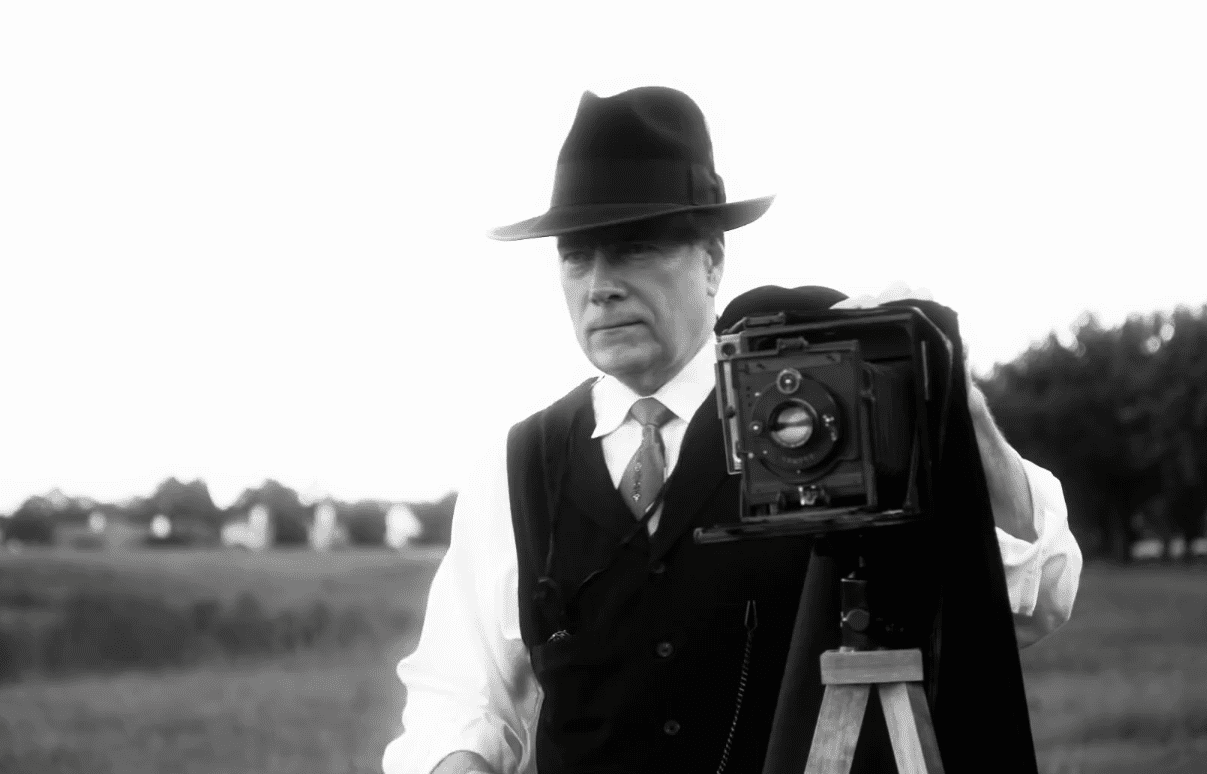
Archival footage refers to any video that was captured in the past and kept for future use—usually for its historical significance. Since archival footage can be sourced from any era since the invention of film, these clips are often a lower resolution and have visible grain or sepia toning.
Where can I find archive footage?
Archival footage is available in the public domain through government and private organizations, as well as through paid stock footage sites like Storyblocks.
The challenge comes down to finding the right kind of footage. Some archival videos, like notable historical events, tend to be easier to source. But if you’re looking for something more niche, you may have limited options.
TIP: Before you start looking, do some preliminary internet research on your topic and create a shortlist of requirements and preferred clips (if you’re looking for a particular event or moment in time) before starting your archive search. This makes it easier to evaluate the clips you come across and understand if they are actually what you are looking for.
Below are some of the best resources for archival footage, both free in the public domain and paid royalty-free assets.
1. The Library of Congress (United States)
Most of the materials within the Library of Congress fall under public domain archival footage, meaning they are free to use in personal and commercial projects.
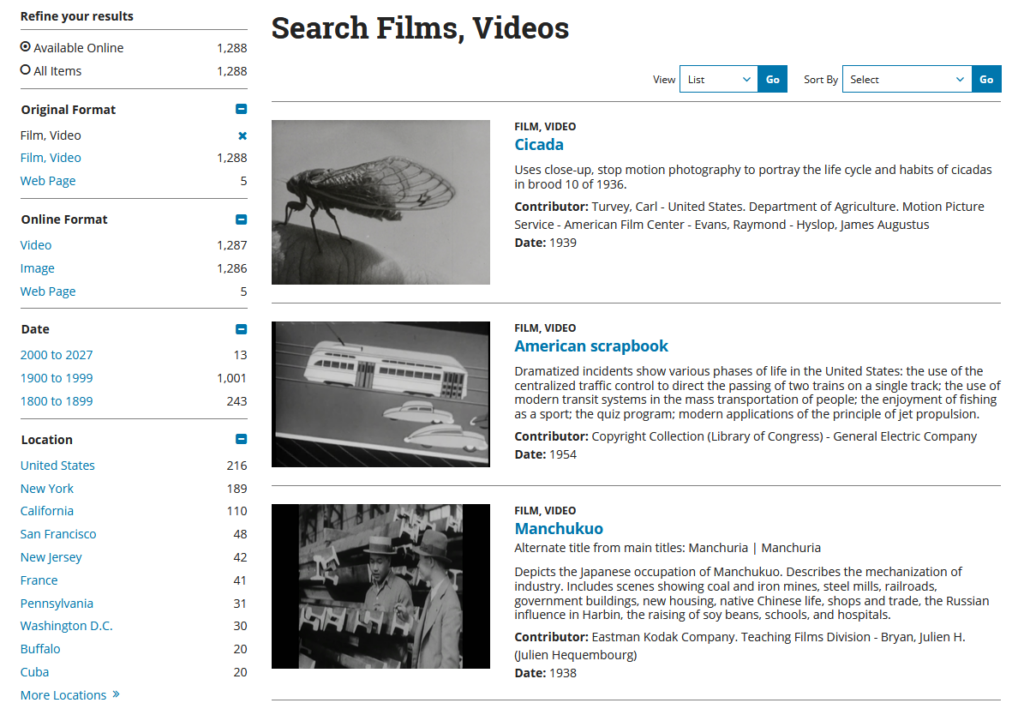
The website features a wide array of filters to help you find the kind of archival footage you’re looking for, including dates, locations, subject, and more. However, since there are tons of files available (almost half a million as of August 2026), it can still be challenging to find specific clips.
Tip: Much of the available footage is personal narratives from war veterans. If you’re looking for archival footage that goes beyond that, try filtering by “National Screening Room” under the Part of category. There will be fewer files overall, but you’ll find a wider selection of old archive footage.
Many countries outside the US have their own archives with public domain content that are worth a search too, depending on what you’re looking for. Keep in mind that these tend to be largely image-focused and don’t always have the best selection of video.
2. The Internet Archive
The Internet Archive often comes up online as a great resource for archival content, especially for creators. And it definitely has a ton of historical files. But before we continue, it’s important to note that not everything available in the Internet Archive is in the public domain or has Creative Commons licensing that lets you use it.
Since searching the full library to find files that are free to use can be a challenge, we’ve linked to two large collections below that mostly fall under Creative Commons or public domain licensing. If you want to search the entire library, you should use the advanced search option and add a custom field for rights where you can include the kind of licensing you’re looking for.
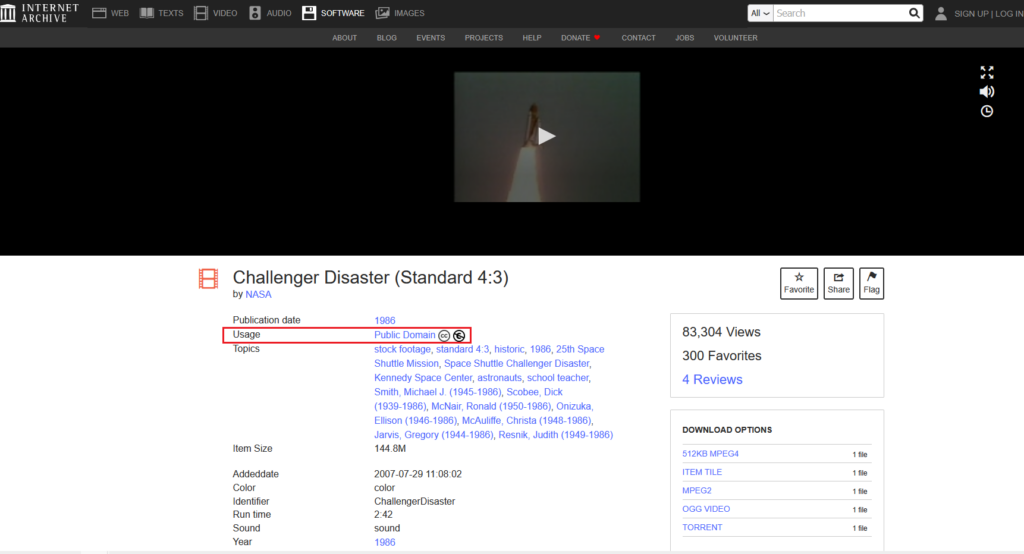
This stock footage collection includes clips which are for use in video projects, and each has a particular type of Creative Commons licensing. Be sure to check the specific license of any video in this collection to ensure it falls under your video’s use case. For example, here’s a shot of the Challenger Disaster that’s listed in the public domain:
The Prelinger Archives collection is another solid resource for movies and other historical videos—but like the previous collection, not all videos are free to use.
To check if a clip is usable, open the details page and look for a Creative Commons license or a public domain mark. If it has a non-commercial (NC) restriction, you cannot use it in a commercial project.
3. CriticalPast
CriticalPast has an extensive royalty-free archival video collection, specializing in military and war footage. All of the archival footage is available to purchase and comes with a perpetual, worldwide royalty-free license.
When you select a clip on the CriticalPast website, you’ll see when and where it was filmed, a description, and its licensing options.
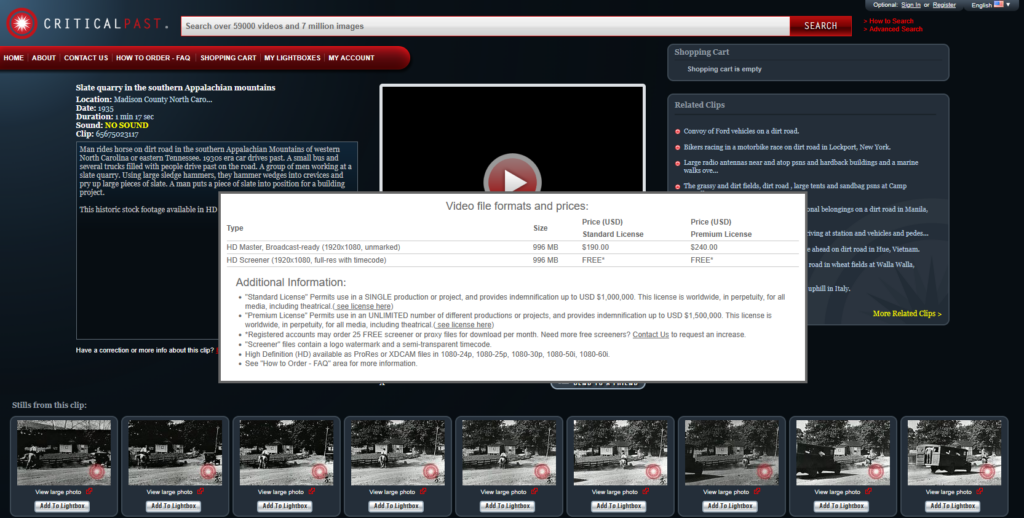
Most videos offer Standard Licenses (where you can only use the footage in a single project) and Premium Licenses (which let you use the footage in unlimited projects, for a higher cost).
4. Storyblocks
In addition to a vast collection of stock footage, images, and audio, Storyblocks also provides a large selection of archive footage. Take a look and find clips from the moon landing, World War II, Vaudeville shows, and more.
Plus, with a Storyblocks subscription, you get unlimited downloads from our entire, 100% human-made stock library. If you’re already using stock footage or music in your projects, it’s much more cost effective to source archival footage from our library rather than buying it separately or managing multiple subscriptions.
And even better, every asset comes pre-licensed, and your subscription grants you royalty-free rights to download and use content without tracking tiered asset types or paying fees for every item.
Which archival footage source is right for you?
Take a look at this comparison table to choose the right archive for your project:
| Source | Cost | License type | Best for |
| Library of Congress | Free | Mostly public domain (verify each asset) | US historical and government footage |
| Internet Archive | Free | Public domain and Creative Commons (varies) | Broad historical videos |
| CriticalPast | Pay per asset | Rights-managed | Niche historical and news events from the past |
| Storyblocks | Subscription-based, flat fee to access unlimited assets | Royalty-free, commercial use license included | Cleared footage with less legal legwork |
Personal vs. commercial use with archival footage licensing
Ensuring you have proper commercial rights to use archive stock footage clips is necessary to avoid legal action and takedown notices. Commercial use requires a legal license along with model and property releases for any recognizable people, property, and locations.
In addition, not all Creative Commons licensing applies the same way for commercial use as it does with personal use. You’ll need to carefully check each license, particularly if you go with a free resource.
In most cases, you’ll want to go with royalty-free licensing that explicitly covers commercial use (including client work or monetized content).
When it comes to personal use, you can use archival footage for private projects as long as the material is in the public domain or labeled for free personal reuse. You get more flexibility under fair dealing, but if you upload this material to platforms like YouTube, you may still trigger copyright strikes against your profile.
What to check before you use an archival clip
Here’s a checklist to run through when you’re sourcing archival footage:
- Who currently holds the rights?
- Does the license cover your use case (personal vs commercial vs editorial, broadcast vs web, regional vs worldwide)?
- Are multiple rights holders involved? (Check the clip for music, recognizable people, or trademarks).
- Are any specific terms or restrictions listed in the usage of that footage?
If all of these line up with what you’re going to use the footage for, you’re in the clear.
Is archival footage copyright-free?
No, archival footage is not automatically copyright-free. Like stock footage, archival videos can be covered by a wide range of licensing types.
The two types of footage that are completely copyright-free are:
- Public domain: Footage in the public domain has no copyright and is completely free to use without permission or payment, for personal or commercial use.
- Creative Commons Zero (CC0): A creator can choose to give their footage a CC0 license, placing it straight into the public domain.
If you find footage that isn’t in the public domain and is licensed under anything other than CC0, then it is copyrighted, and you must conform to the rules of the type of licensing it’s held under.
These are usually:
- CC BY: You can freely use the footage, but you must credit the creator.
- CC BY-NC: You can only use the footage in non-commercial projects, and you must still credit the creator.
- Rights managed or royalty-free licensing: You pay for the footage and receive clearly documented usage rights and legal protection.
Learn more about the difference between royalty-free and copyright-free footage.
Why do filmmakers and editors use archival footage?
Filmmakers mostly use archival footage to establish credibility by adding visual evidence of the events they are portraying.
For instance, think about what archival footage is used for in a documentary. Ken Burns’ award-winning war documentaries would be far less convincing without the remastered archival footage, photographs, and TV footage from the era. And it’s often much more cost-effective than re-creating historical scenes with actors and sets.

However, editors can also use archival footage to provide context or evoke nostalgia—especially for online videos and in news or broadcast segments. If your project is about the 1990s, the tracking lines of videotape and the fashion of the day will transport viewers who lived through that decade straight back to their youth, while giving younger viewers a tangible sense of the era.
How to use archival footage in your own projects
There are three key steps to using archival footage in your own projects:
- Source the footage and clear copyright and licenses: First, you need to find relevant footage and make sure that you can use it without risking copyright strikes. We explained above where you can find archival footage and clear its license.
- Prepare the archival footage for use: Next, you’ll need to edit the footage so that it fits with the rest of your project. If you’re downloading the archival stock footage, this could mean optimizing the video by matching the resolution and fixing the color, as well as tidying up the audio. More on this below.
- Edit into your project: When the clips match your timeline’s resolution and look neat enough for modern displays, you’re ready to go. Simply edit it into your project as you would any other stock footage.
How to make modern footage look like archival footage
So you’ve searched through what feels like all the archival footage, and you can’t find what you need, or you want to mix archival and current footage, but the colors and resolution are vastly different. There’s an easy fix—we have a whole tutorial on how to make your video look vintage in Premiere Pro, but we’ll cover the basics here.
1. Adjust the color grading
First of all, you need to change the color science so that your modern footage looks like it was shot in the past. In comparison with newer footage, old archival video often has reduced dynamic range and worse color science—faded and slightly off colors, usually sepia-toned or even black and white.
The trick to this kind of color grading is to use a reference shot as you edit, so you can easily see which changes are working. For instance, in Premiere Pro, you can use the Comparison View tool to see your modern clip side-by-side with a true vintage clip:
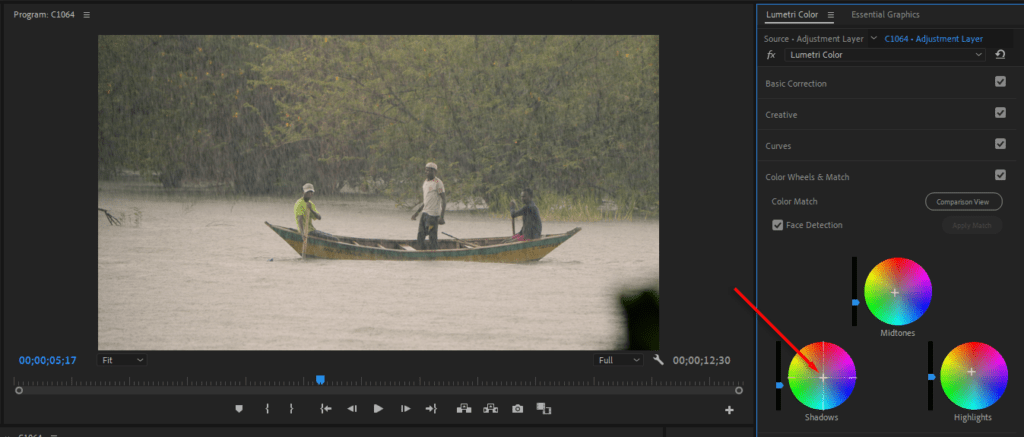
Likewise, in DaVinci Resolve, you can import a screenshot as a Reference. With each clip visible together, it’s much easier to achieve the retro video aesthetic.
Pro tip: Both DaVinci Resolve and Premiere Pro have auto-match features that help aligning your colors with an archival reference shot. In Premiere, look for Color Match in the Lumetric panel, and in DaVinci Resolve’s Color page, look for Shot Match.
2. Add film grain, dust, or scratch overlays
Since old footage often has film grain, dust splotches, and scratches, the next step is to mimic these effects in your modern clips by using overlays. Most video editors include built-in effects under “film look” or “grain”, but these aren’t always the most realistic.
You could also add light leaks, film artifacts, or VHS static lines depending on the era of footage that you’re trying to recreate.
For higher-quality vintage effects, look in the Storyblocks templates collection. Check out the Vintage Glitch template as well as these old film LUTs to see how easy it is to recreate old footage with Storyblocks assets.
When you find the right look, simply drag and drop the template onto your modern footage to match it with any archival footage you’re using.
3. Crop to a 4:3 aspect ratio or use pillarboxing
Most archival footage was shot before the 2000s when televisions used a 4:3 aspect ratio, rather than the modern 16:9 wide angle. To match this, you can either set your project to a 4:3 aspect ratio or add a pillarboxing overlay.
If you’re going to use both 16:9 and 4:3 clips, the simplest method is to drop a pillarboxing overlay, since it lets you keep modern 16:9 footage intact while giving selected clips the archival look.
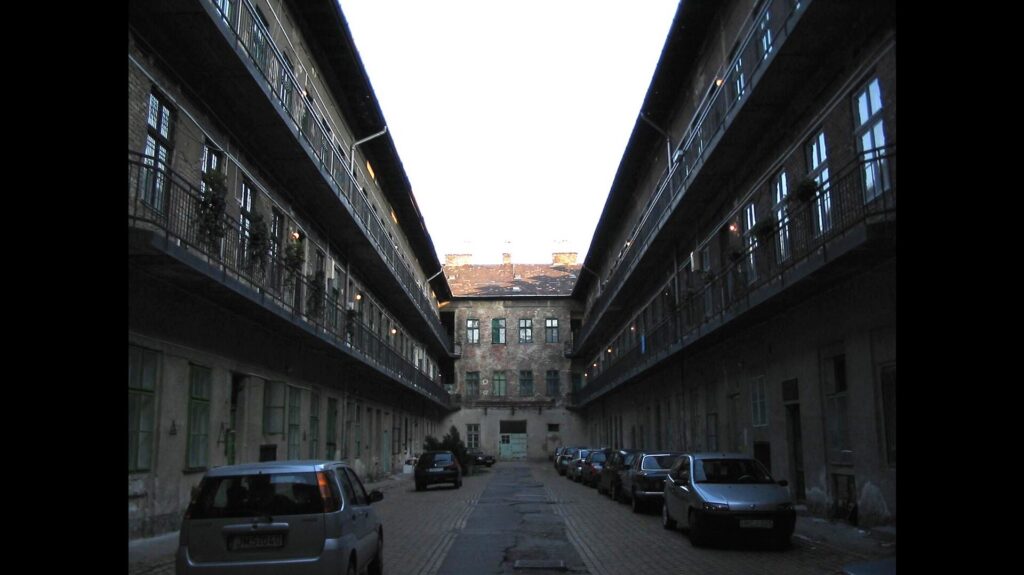
You can download a transparent PNG overlay or make one yourself by creating a 16:9 image with a transparent 4:3 rectangle in the centre and black bars on either side, then place it over your footage for the duration of the clip.
4. Add subtle flicker, jitter, or frame-rate reduction effects
With newer clips, the high resolution, smooth frame rate, and overall sharpness is often just too good to pass as archival footage. Consider using HD or lower resolution clips, and try to match the frame rate of your archival clips. That can often be enough to seamlessly blend between old and new footage.
If you’re working with footage from a specific era, the best approach is to study your reference clips and copy their imperfections. For example, a slight flicker can mimic the inconsistent exposure of older film or analogue cameras, while jitter or small shifts in position can recreate the unstable movement of older handheld cameras and film transfers.
5. Degrade the audio or add time-appropriate music
Editing your audio is a simple way to make your footage feel more authentic. For a vintage broadcast feel, try reducing the audio to mono, rolling off some of the high and low frequencies, and adding a small amount of hiss, hum, or tape noise. You can also introduce slight distortion or compression, but avoid making the audio difficult to understand.
Music can also help sell the time period. If the footage has no original audio, choose music that would have been used when the footage was supposedly recorded.
Find all the stock you need with Storyblocks
Whether you’re working with genuine archive stock footage or transforming modern clips to recreate the look of another era, the right assets can make all the difference.
From film grain and VHS effects to archival stock footage, period-appropriate music, and sound effects, Storyblocks has the creative assets you need to build a convincing sense of time and place.
With unlimited downloads of royalty-free, 100% human-made assets, you can experiment with different looks and sounds without having to source each element separately.
Sign up for Storyblocks today and spend more time focusing on what matters—telling a story that makes your audience feel like they’ve stepped right into the past.